Buyer checklist
How We Compared These Laptop Docking Stands
We compared these five on the specifications their own listings state, and the single most important one is the HDMI refresh rate. A dock that outputs 4K at 30Hz drives an external monitor in a way most people find unusable for a full day: the pointer trails, scrolling judders and dragging a window feels detached from the hand. Two of these five state 30Hz, two state 60Hz, and one states no refresh rate at all. We then compared data throughput, card reader speed, how much of the headline wattage actually reaches the laptop, and the physical figures: folded size, weight, height range and supported laptop weight. Two of these listings agree with each other on every specification including folded dimensions to a tenth of an inch, which is what one factory supplying two brands looks like, and we have said so rather than presenting them as independent choices. One listing contains no figures whatsoever, and we have reviewed it on that basis. These figures come from the product records in our catalog as captured from the sellers' own listings; nothing here was plugged in, benchmarked or measured by us, and no throughput or stability claim below is ours.
Laptop Docking Stands Buying Questions
What is the one specification to check before buying a USB-C dock?
The HDMI refresh rate, and it is the one most listings bury or omit. Resolution and refresh rate are separate numbers: a dock can output 4K and still only manage 30Hz, which halves the smoothness of everything on screen. At 30Hz the mouse pointer visibly trails and scrolling stutters, and while a static text display is tolerable, most people describe a working day on it as unpleasant. Sixty hertz is the baseline you want. In this group BENFEI and Arctalis state 4K at 60Hz, Umaniy and Mukiya state 4K at 30Hz, and BLPGCBB states neither.
Why does my dock's HDMI port do nothing?
Almost always because the laptop's USB-C port does not carry video. USB-C is a connector, not a single capability, and a port can handle data and charging without supporting DisplayPort Alt Mode, which is what an HDMI dock needs. Nothing on the outside of the port indicates this, so the laptop maker's specification page is the only reliable check; in practice you are looking for USB 3.2 Gen 2, USB4 or Thunderbolt 3, 4 or 5. Three of the listings in this guide state the requirement explicitly, which is to their credit, because it is the most common reason one of these appears faulty on arrival.
Does a 100W dock charge my laptop at 100W?
No. The 100W figure is what the dock accepts from your power brick; the dock and any attached peripherals consume some of it, and the remainder passes to the laptop. The listings here that do the arithmetic honestly state 85W or 90W reaching the laptop out of a 100W input, with the difference reserved for peripherals. If your laptop ships with a 96W or 140W charger, expect slower charging through any of these than from its own adapter, particularly while driving a display and a drive at the same time.
Why do two of these look like the same product?
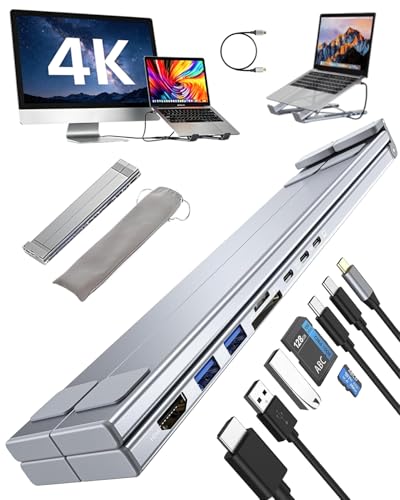
Because they very probably are. Umaniy and Mukiya state the same eight ports, the same 4K at 30Hz, the same 5Gbps data, the same 25MB/s card speed, the same nine height levels, the same triangular structure with silicone pads, the same included carry bag, and folded dimensions identical to a tenth of an inch. That pattern is characteristic of one factory supplying several brands, which is extremely common in this category and is not in itself a criticism of either. The practical consequence is that they are one option in your shortlist rather than two, and the only stated differences are weight and the power split.