 Product image from current catalog data
Product overview
What the listing actually tells you
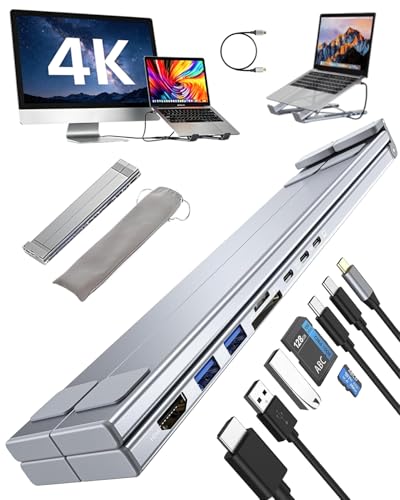
The honest review of this product is a review of its listing, because the listing is all there is. Across five bullets it describes an 8-in-1 foldable laptop stand with HDMI output, multiple data ports, card slots, fast charging, multiple height adjustment levels, anti-slip pads, an open design for airflow and broad USB-C compatibility. Every one of those is a category description. Not one is a number.
Consider what is missing against the other products in this comparison. There is no HDMI refresh rate, where BENFEI states 60Hz and Umaniy and Mukiya state 30Hz, and that single figure is the most consequential specification on a docking stand. There is no data transfer speed, where others state 5Gbps and 10Gbps. There is no card reader speed, where others state 25MB/s and 160MB/sec. There is no wattage for the charging, where others state 100W input and 85 to 90W pass-through. There are no dimensions, no folded size, no weight, no supported laptop weight and no height range.
The phrase doing the most work is high-resolution HDMI output. In this category, resolution and refresh rate are sold separately in practice: plenty of docks output 4K, and the cheaper ones output it at 30Hz. A listing that names neither the resolution nor the refresh rate has told you nothing about the thing that matters, and the conservative assumption on an unspecified budget dock is the lower figure.
Similarly, fast charging without a wattage is not a specification, and multiple height adjustment levels without a count or a range cannot be compared with the nine levels and 68 to 178mm range stated elsewhere in this guide.
None of this means the hardware is bad. It may well be identical to one of the specified stands here, since this category is full of one factory's product sold under many names, and the BLPGCBB name is the kind of generated brand string that usually indicates exactly that. The problem is that you cannot know, and you cannot compare it, and if it arrives at 30Hz you have no listing claim to point at.
The practical recommendation is simple: if you want an 8-in-1 folding dock, the Umaniy and Mukiya listings in this guide describe one with real figures, and the BENFEI describes a better one. Buy a listing that commits to numbers, and keep this one in reserve only if it is markedly cheaper and you are prepared to accept whatever refresh rate turns up.
Key Listed Features
8-in-1 foldable laptop stand with HDMI, data ports and memory card slots
Multiple height adjustment levels, count and range not stated
Anti-slip pads and an open structure described as promoting airflow
Fast charging support, wattage not stated
No refresh rate, data speed, card speed, dimensions or weight given anywhere in the listing