5 Best Document Scanners for Searchable PDFs (2026)
Compared spec sheets and manufacturer data on 5 document scanners, from a compact desktop unit to a 60-page-per-minute workgroup machine, to find real picks for turning paper into searchable PDFs.
Quick answer
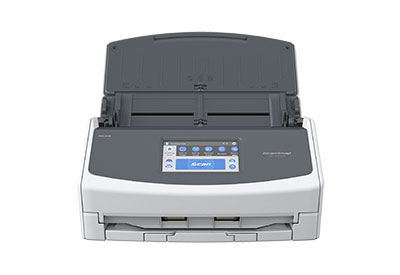
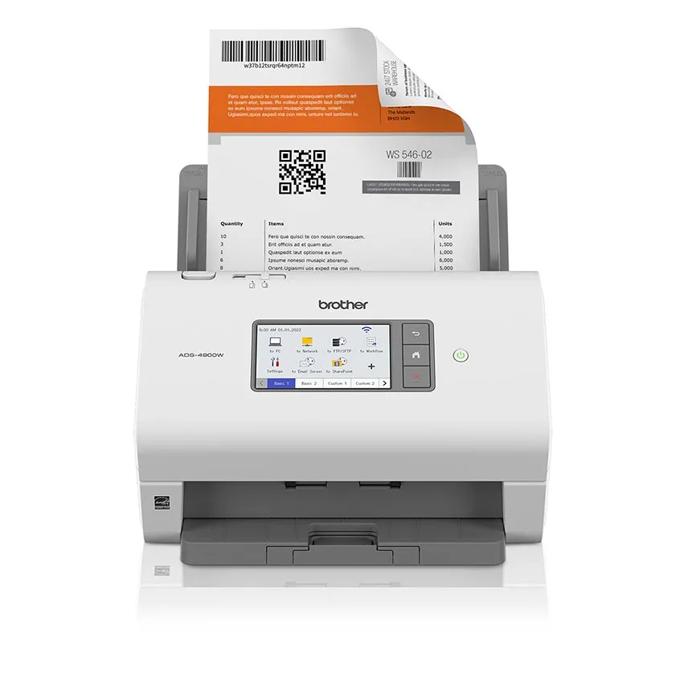
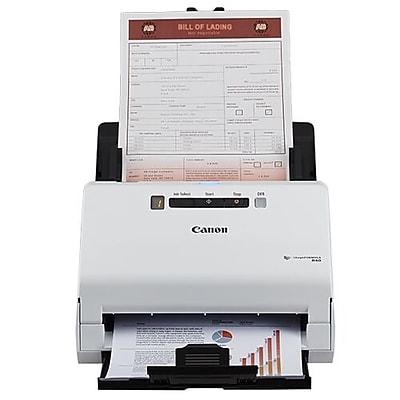
For most home offices, the Fujitsu ScanSnap iX1600 is the pick worth building a workflow around: 40 ppm duplex scanning, Wi-Fi, and software that actually organizes files instead of just dumping them in a folder. If your paper problem is specifically receipts and expense reports, the Epson RapidReceipt RR-600W's AI-driven data extraction is more useful than raw speed. Busy, multi-person offices should look at the Brother ADS-4900W, which trades desktop-friendly size for a 60 ppm engine, Ethernet, and a much higher rated daily volume. The Canon imageFORMULA R40 is the budget-conscious, USB-only option here, note that Canon has since released a successor, the imageFORMULA R40II, so buyers who want the latest generation should search that model too, though the R40 reviewed here remains sold new. The Epson WorkForce ES-580W rounds things out as a solid, unremarkable all-rounder for mixed home/office scanning.
Updated September 2026Advertising DisclosureTop Relevant
✓Carefully researchedProduct data reviewed
◇Independent picksClear comparison criteria
▣Practical resultsBuilt around real use cases
$Price & valueFeatures compared clearly
Buyer checklist
How We Compared These 5 Document Scanners for Turning Paper Into Searchable Files
This guide is desk research, not a hands-on lab test: we did not physically scan documents through any of these machines. Instead, we cross-checked each product's live Amazon.com listing against the manufacturer's own product and specification pages (Fujitsu/Ricoh's ScanSnap site, Epson US, Brother USA and Brother's support spec pages, and Canon USA/retailer listings where Canon's own site blocked automated access) to confirm the model is real, current, and accurately described. Where sources disagreed on a number, scan speed, ADF capacity, or daily duty cycle, we say so directly in that product's write-up rather than picking whichever figure sounded better.
5 Document Scanners for Turning Paper Into Searchable Files Buying Questions
Do I even need a dedicated scanner if my printer already scans?
An all-in-one printer's flatbed is fine for occasional single pages, but none of the scanners above are flatbeds — they're auto-document-feeder (ADF) machines built to pull through stacks of 50-100 pages unattended, scan both sides in one pass, and hand you organized, searchable PDFs. If you're digitizing more than a handful of pages a week, or you deal with receipts, contracts, or old file boxes, a dedicated ADF scanner is dramatically faster than babysitting a flatbed.
What actually makes a scanned PDF 'searchable'?
A raw scan is just a picture of a page, the text isn't selectable or searchable. Every scanner in this guide ships with OCR (optical character recognition) software that runs after the scan, reading the text in the image and embedding an invisible, searchable text layer under it. That's what the bundled software (ScanSnap Home, Epson ScanSmart, Canon CaptureOnTouch plus Readiris, or Brother's scanning utility) is doing in the background, you should not need to buy separate OCR software for any of these models.
Is a higher pages-per-minute (ppm) rating always better?
Not necessarily, and manufacturers measure it differently, some rate simplex (one side) speed, others rate duplex as an ipm (images per minute) figure that's roughly double the sheet count. A 35-40 ppm duplex scanner is plenty for typical home-office batches of a few dozen pages; the 60 ppm class (like the Brother ADS-4900W) mainly pays off if you're regularly running 100+ page jobs or sharing the scanner across a team.