TopFiveFind may earn from qualifying purchases. Rankings are editorial starting points, not hands-on test claims.
Home/Vacuum Sealers/JXD Handheld Game Console 4.3 inch 8GB Built in 2000 Games for Multiple Simulators X6 Retro
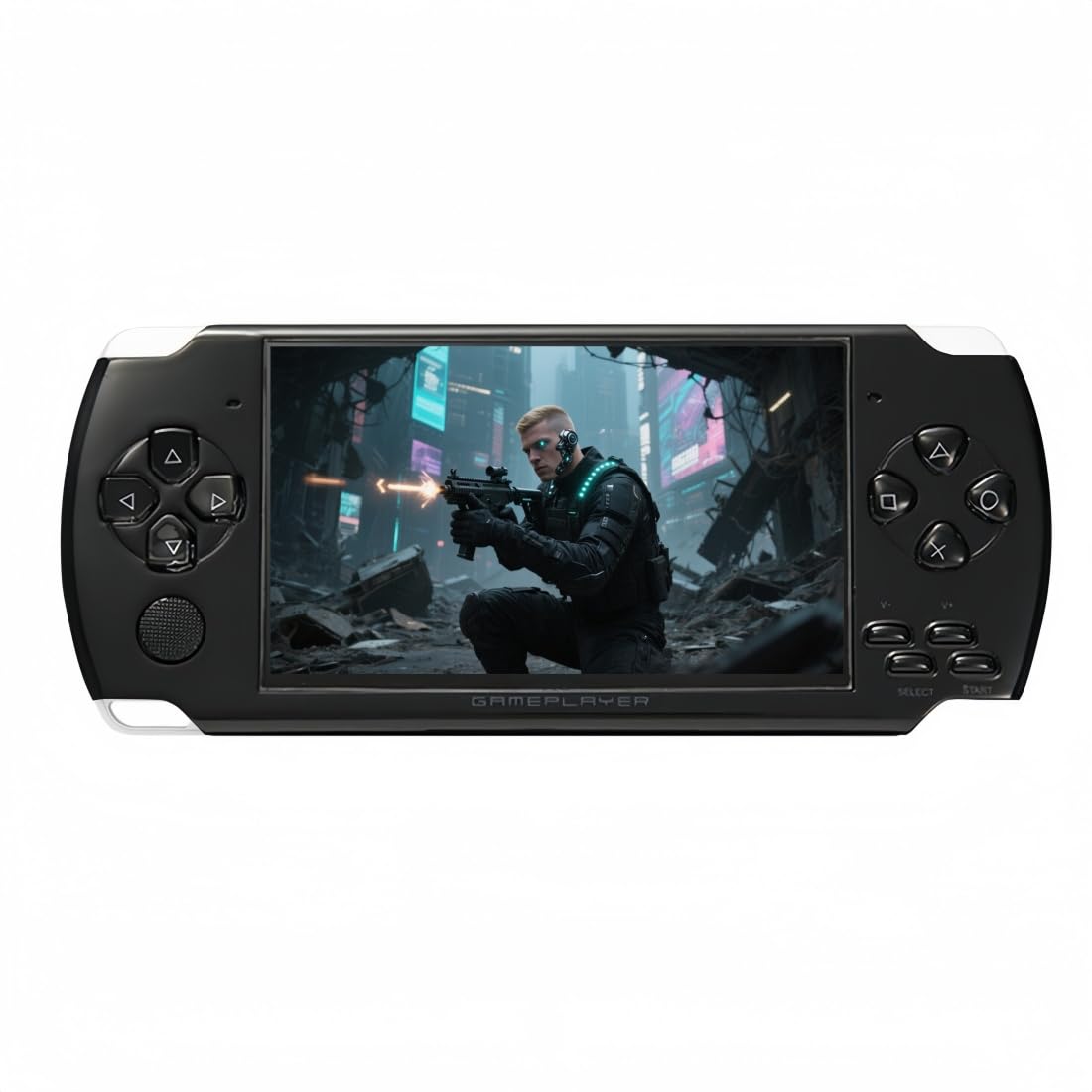
JXD Handheld Game Console 4.3 inch 8GB Built in 2000 Games for Multiple Simulators X6 RetroProduct image from current catalog data
Most Explicit About What It Is

JXD Handheld Game Console 4.3 inch 8GB Built in 2000 Games for Multiple Simulators X6 Retro

By JXD

9.4Excellent matchFeature and use-case score

The cheapest option and the most honest about its own nature: 8GB of storage, multiple emulators, and games that it says plainly can be added or deleted from a computer.

  • 8GB storage with multiple emulators and 2,000 preloaded games across those systems
  • Games can be added or deleted by connecting the console to a computer, which the listing stat...
  • Save-state function via the SELECT button to save, quit or restart progress mid-game
See Price at the store →Price, delivery, and configuration can change at the retailer.
ByTopFiveFind Research Desk

How this was made: AI-assisted research and drafting organize the evidence. Exact product identity, source claims, owner-feedback patterns, conflicts, and publication checks are documented before indexing. No hands-on or human-expert testing is claimed unless a page explicitly shows that evidence. Read the full methodology.

Best fitMost Explicit About What It Is
CategoryVacuum Sealers
BrandJXD
Catalog score9.4 / 10

Product overview

JXD X6 Handheld Game Console (4.3 inch, 8GB): What to Know

This listing describes what these devices actually are more clearly than any other in the category, which is why it is worth including. It states that the console supports multiple emulators, that one game console can be equivalent to many previous consoles, that 2,000 classic games are built in across those emulators, and crucially that non-solidified games can be added or deleted by connecting the console to a computer and finding the relevant folder. That last sentence is the whole category explained: it is a small computer with a file system, loaded with game files you can change.

That openness is also its practical advantage. A device with a fixed library is finished when you have played through it; one where you can add files has a life beyond the preloaded set, and you can remove games unsuitable for a young child, which no sealed library allows.

The specifications published are 8GB of storage and a 4.3 inch screen. There is a save-state function operated with the SELECT button, letting you save, quit or restart progress mid-game, which matters because many of the original games had no save function at all and expected a single long session. And it outputs to a television over an AV cable, turning it into a two-player living room console.

Three honest notes. The preloaded games are the legal grey area described at the top of this page, and this listing's add-and-delete instruction makes the nature of the library explicit. No chipset, battery capacity, screen resolution or weight is published anywhere, so unlike the RK3326 device above there is no way to judge what it can emulate. And AV output is analogue composite video, which on a modern television looks very soft and may need an adapter, since few current sets still have the sockets.

Key Listed Features

01

8GB storage with multiple emulators and 2,000 preloaded games across those systems

02

Games can be added or deleted by connecting the console to a computer, which the listing states plainly

03

Save-state function via the SELECT button to save, quit or restart progress mid-game

04

AV cable output to a television for two-player living room play, on a 4.3 inch screen

Buying questions

Quick Answers

Why does a save-state function matter on retro games?

Because many of the original games had no save at all. Arcade and early console titles were designed around a single sitting and expected you to start from the beginning each time, which suited an arcade cabinet and suits a child's attention span badly. A save state captures the entire machine state at any moment, so a game can be paused mid-level and resumed days later, which is something the original hardware could not do. It is one of the genuine advantages emulation has over the real thing.

Can I put my own games on it?

The listing says non-solidified games can be added or deleted by connecting the console to a computer and using the relevant folder, so yes for the changeable portion of the library, with some games apparently fixed. In practice that means it behaves like a USB drive for its game folder. Whether the files you add are ones you are entitled to have is the same question that applies to the two thousand already on it, and it is worth being clear with yourself about the answer before handing the device to a child.